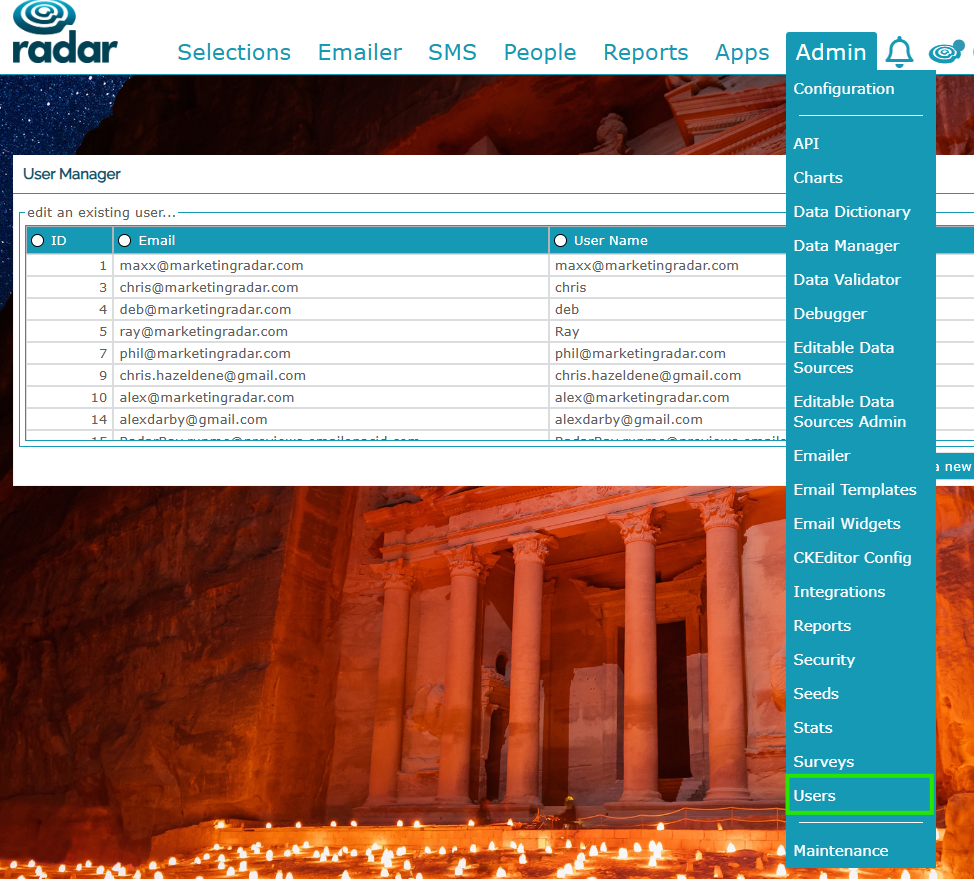
Users allows you to add to, edit and update the users for your Radar account:
Adding a New User
Here you can add new users, by clicking ...or add a new one - you can give them a temporary password that they can then update within their own Profile:
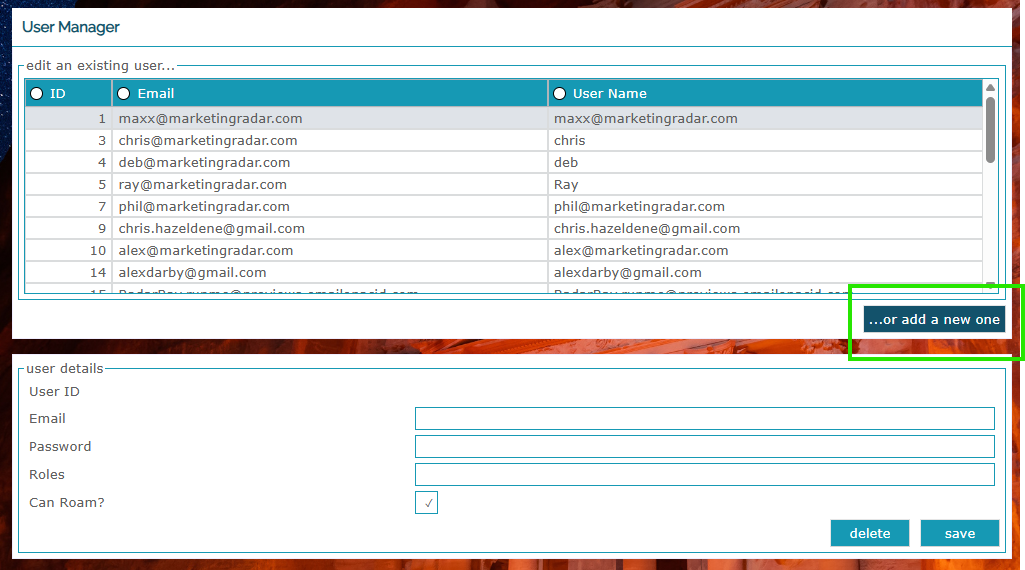
Once you have set up a new user, they'll receive a welcome email with a URL to the Radar system - they can then login and update their password.
Changing Roles for Access
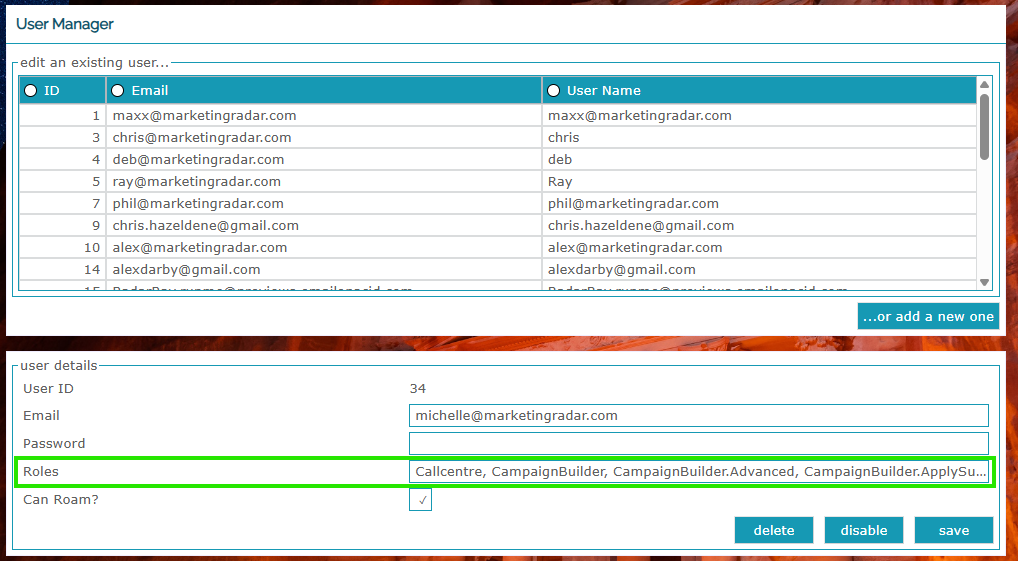
You can also update and change roles within their Radar access:
Roaming
When setting up a new user, the Can Roam box allows users to access the system via multifactor authentication if the client has IP restriction setup - your team should be aware if this is in place but if you are unsure, please speak with your Account Director.
Additional Accesses to Apps and Data Sources
Your Radar system may have additional apps and data sources that you require access to - depending on your settings, you may be able to add your team member but if not, please raise a ticket via Freshdesk and we'll add them on our side.
Roles
Here is a full list of roles available in Radar, along with their accesses:
| Roles | Menu item / Description | Section | Dependencies | Function |
| Callcentre | Enables the Telephone integration pop-up for a given user | |||
| CampaignBuilder | Has access to the Selections menu item | Campaigns, Suppressions | ||
| CampaignBuilder.Advanced | Can see see/deselect suppression checkboxes in Selections > Campaigns | Campaigns | CampaignBuilder | Opted-in for Contact, Bad addresses/names |
| CampaignBuilder.ApplySuppressionAll | Can apply Global default suppressions (affecting all users) | Suppressions | ||
| CampaignBuilder.SaveCampaign | Can save Selections > Campaigns | Campaigns | CampaignBuilder | |
| CampaignEdit.Save | Can edit details of existing Selections > Campaigns | Campaigns | ||
| Client.Admin | Can access the Admin menu | API, Seeds, Users, GDPR | ||
| ContactView | Has the People > View menu item | View | ||
| DataManager | Can bulk load data into RADAR via the Admin menu item | Data Manager | Client Admin | |
| EditableDataSources | Can access and edit lookup and reference data within the database | Admin, Data Manager | ||
| Emailer | Can access the Emailer menu item | Recurring, Triggered, Ah hoc, Dashboard, Cells | ||
| GDPR | Can see the GDPR area in People > View | View | Forget Me, Subject Access Request | |
| InternalSurveys | Can access any bespoke Application configured within RADAR via the Apps menu | |||
| KeepAlive | Bi-passes the session timeout following 60 minutes of inactivity | |||
| Reporting | Can access the Reports menu item | Datasets, Crosstabs | ||
| SMS | Can access the SMS menu item | Campaigns, Dashboard, Cells | ||
| VisualEditor | Can run and save complex Selections via the Visual Editor | Visual Editor, Cells |
Was this article helpful?
That’s Great!
Thank you for your feedback
Sorry! We couldn't be helpful
Thank you for your feedback
Feedback sent
We appreciate your effort and will try to fix the article