Radar holds all of your contacts in one place and in People, you can see exactly who your contacts are, including:
- Their personal contact details (and permissions)
- Preference Centre data
- Past emails & Brochures
- Past Booking history
- Shared contacts at their email and address
This is helpful if a customer calls, or contacts you - giving you a detailed overview of who they are, and their interactions with your business.
Take a look at the people in your database and find them using People>View
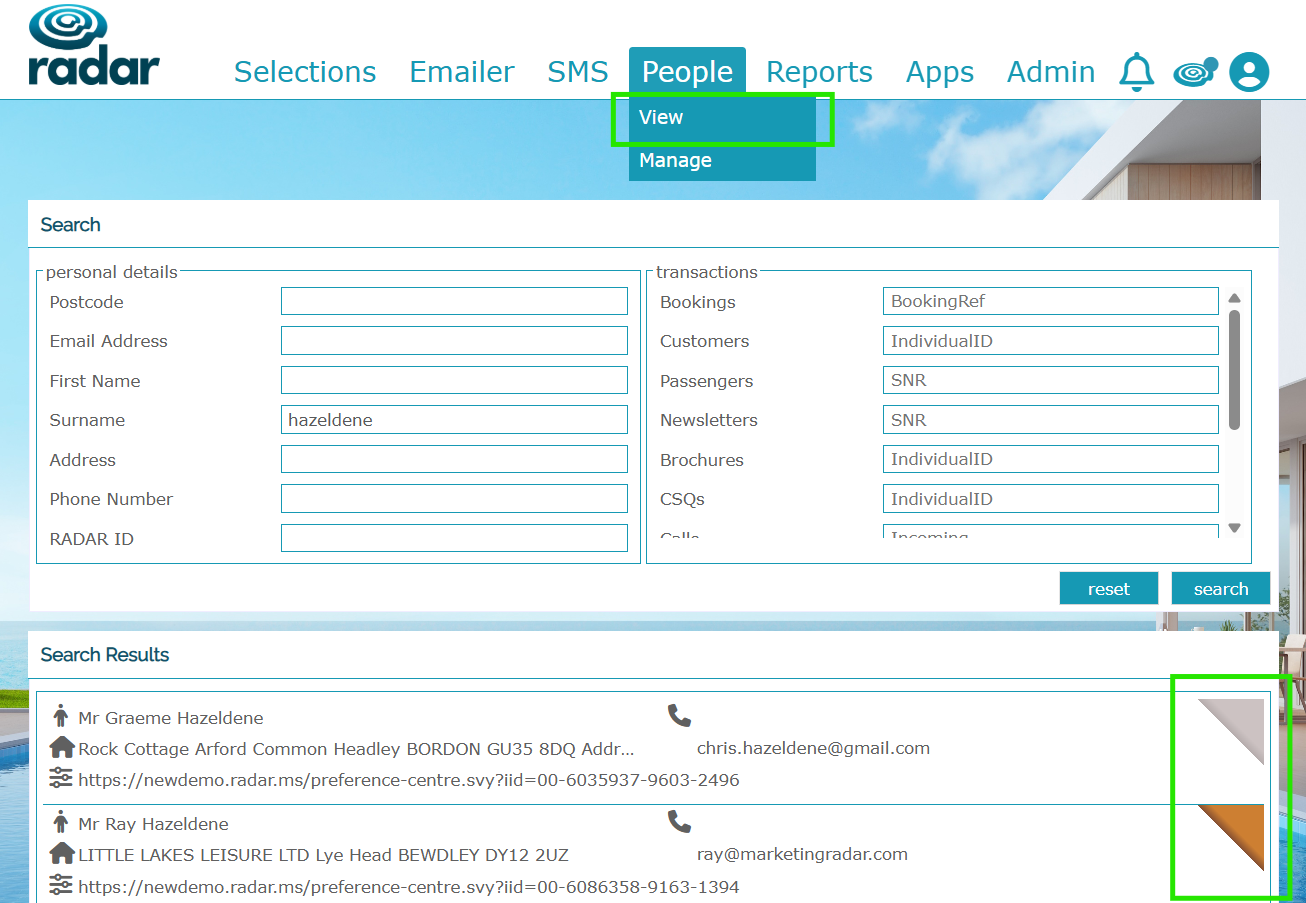
You can search for your contact via email, system references, booking IDs, name, Radar ID
Add a * in any transactions section to you want to find someone for and it'll return them - so for example, people that have received brochures & signed up to newsletter.
We can add gold/silver/bronze 'hats' to different customers, to give you a quick insight into that customer - best customers, best bookers etc - our clients use these in different ways. Please ask if you'd like more information on this.
If you have a Preference Centre, you can see the link to this and understand that client's preferences for holidays, contact etc.

Click on the Search Results contact record, you'll be taken to the Summary Profile view of their record. Here you can see:
- personal details
- booking history - you can click here to see more information of the bookings themselves
- activity
- shared emails and addresses within system
- emails and brochure received
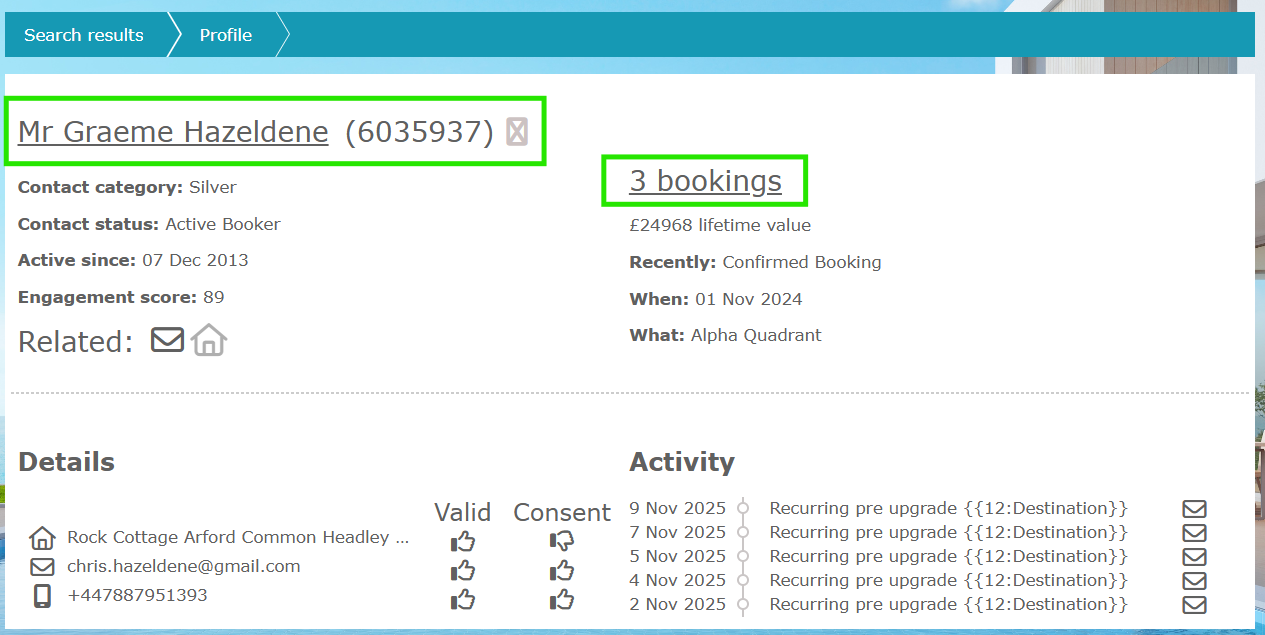
From the Profile, you can click on the name/ID and this then takes you to Contact details - you can change and edit details in here, change preferences and accesses, and opt-ins.
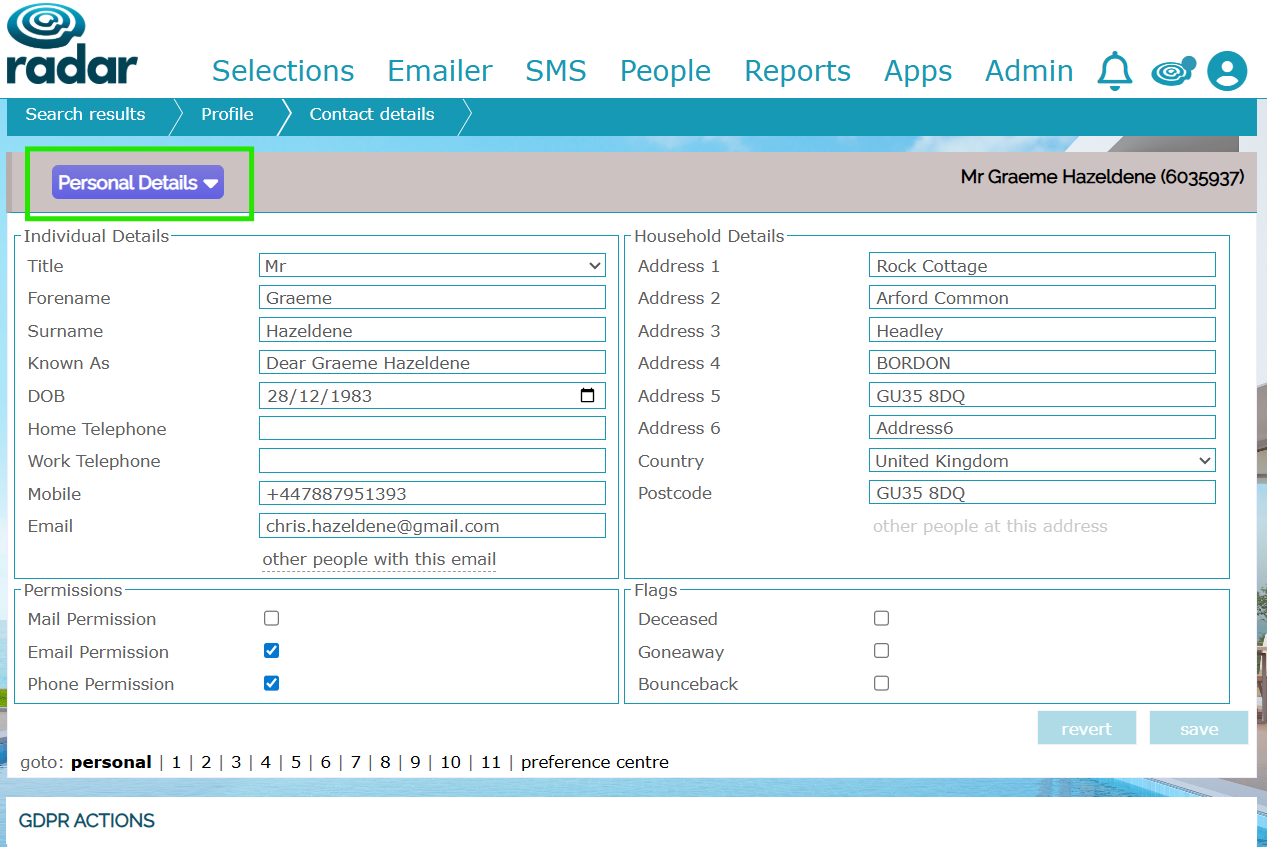
Using the Purple menu on the top lefthand side, you can then also access more information on this client:
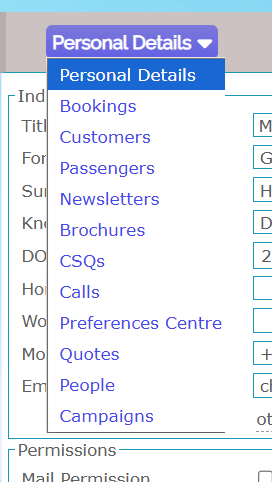
The more data feeds we have flowing into Radar, the more information we can include.
If you'd like more information on customer/People View, please get in touch with your Account Director or raise a ticket in Freshdesk.
Was this article helpful?
That’s Great!
Thank you for your feedback
Sorry! We couldn't be helpful
Thank you for your feedback
Feedback sent
We appreciate your effort and will try to fix the article