In Selections there are three options; Campaigns, Cells, and Suppressions. There is also a Visual Editor option, so that you can create a cell or suppression and see visually how the Campaign Criteria impacts on the campaign audience.
In Selections, you can create new audience groupings for an email, SMS or postal campaign.
Campaigns - create campaign audience and store data in the background.
Cells - saves the campaign audience criteria but doesn't run the data until you go to use it.
Suppressions - suppresses the list from a campaign, an exclusion list rather than inclusion list.
Under Cells you'll see any existing Cells that have been set up - in the same way as Campaigns, you can utilise these again and again, or edit them and save as a new Cell.
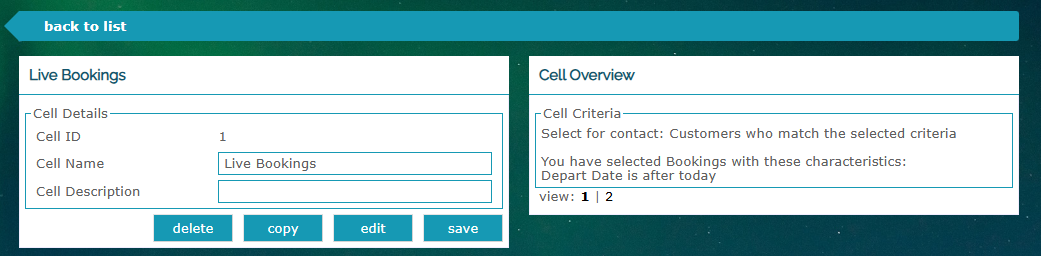
If you click on one of these existing options, you'll see how each has been set up, in case you want to use them again or add to what is already set up:
Creating a New Cell
This works in much the same way as setting up a new Campaign. By clicking ...or add a new one, you will be able to choose your cell criteria from the pre-grouped data within your Radar account, or the specific criteria selected by your team.
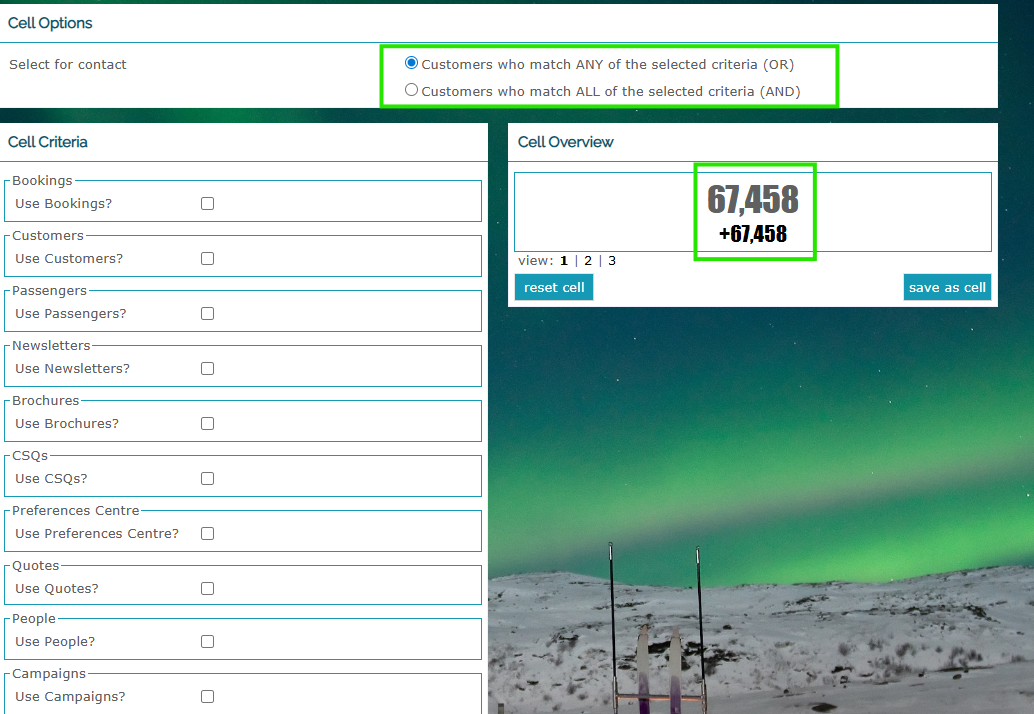
You can choose contacts that match ANY or ALL criteria selected, and you are able to see how that is broken down by number in the Cell Overview on the righthand side:
Once you click on Save As Cell you can then add your Cell Name and Description, so that you are able to choose it when creating a new email or SMS campaign:
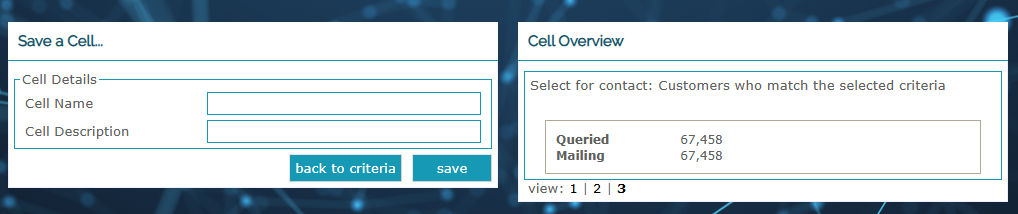
Click Save again and you will have a new Cell of data available to use as needed!
Was this article helpful?
That’s Great!
Thank you for your feedback
Sorry! We couldn't be helpful
Thank you for your feedback
Feedback sent
We appreciate your effort and will try to fix the article