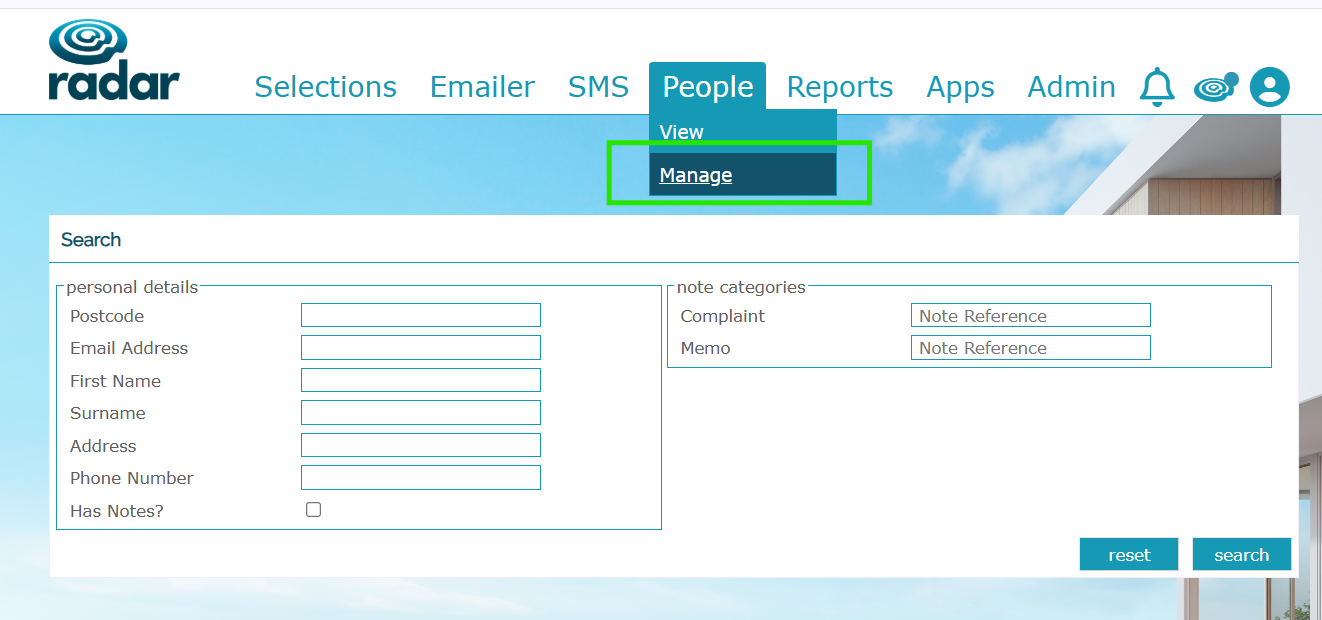
If you are looking for a specific contact within Radar for reasons such as a complaint, or an incident that has been recorded against their customer profile, you can view this within People>Manage:
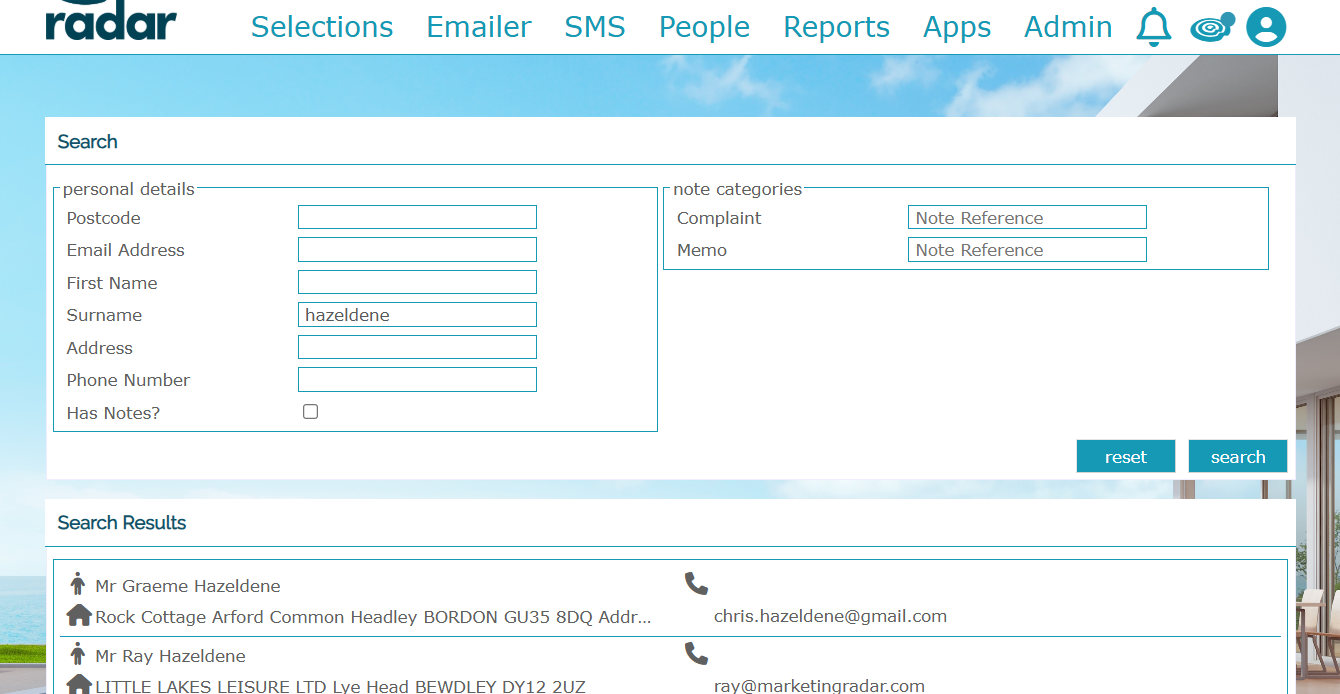
If you search by the details that you have to hand, whether it's their personal details such as name/email, or the reference from the person that originally lodged the complaint/memo. It will then bring up their details - click on these and you'll be able to see this information logged against their profile:
Click on this customer and it'll show any current notes:
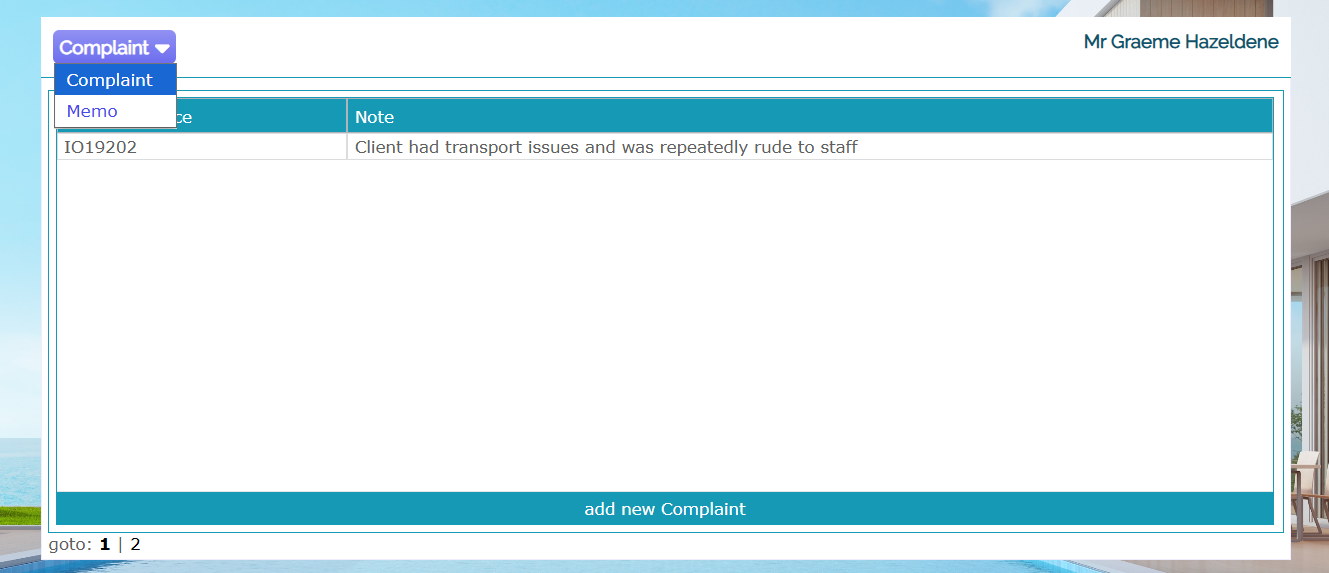
As well as viewing any existing memos, you can also add a new complaint or memo:
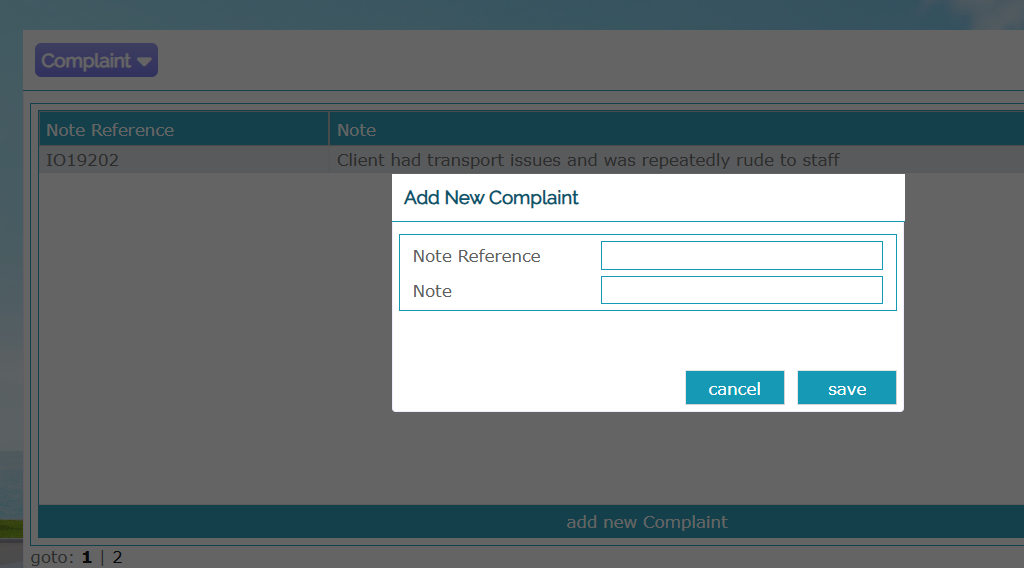
Click Save and this will be added to the contact's profile.
Was this article helpful?
That’s Great!
Thank you for your feedback
Sorry! We couldn't be helpful
Thank you for your feedback
Feedback sent
We appreciate your effort and will try to fix the article